Helpdesk migration experts
Helpdesk migration, made seamless.
Move tickets, conversations, contacts and help centre content between any two support platforms. Run it yourself on our platform, or let our migration experts handle it end to end.
- Sample run before the full move
- No downtime for your team
- 24/7 premium support

- ✓Map
- ✓Sample
- ✓Migrate
- Tickets and threads
- Contacts and companies
- Attachments
- Help centre
Click a logo to choose your own route. Any platform to any platform.
Plan a respond.io to Freshdesk move →All supported products →













We migrate tickets, conversations, contacts, attachments and help centre content between any two helpdesks: fields mapped first, a sample signed off, then the full move, reconciled.
Migrate between 27 supported products and more
 Zendesk
 Intercom
 Freshdesk
 Help Scout
 Gorgias
 Zoho Desk
 Pylon
Pylon Kustomer
 Gladly
 Kayako
 Freshchat
 LiveChat
 respond.io
 Drift
Drift Front
Front Gmail / Google Workspace
 Outlook / Microsoft 365 shared mailbox
 Salesforce Service Cloud
 HubSpot Service Hub
 Freshservice
 SolarWinds Service Desk
 Jira Service Management
 ServiceNow
 Aircall
 Talkdesk
 Data Files
Two ways to migrate
Self-serve or fully managed. Expert support either way.
Run it with your own team.
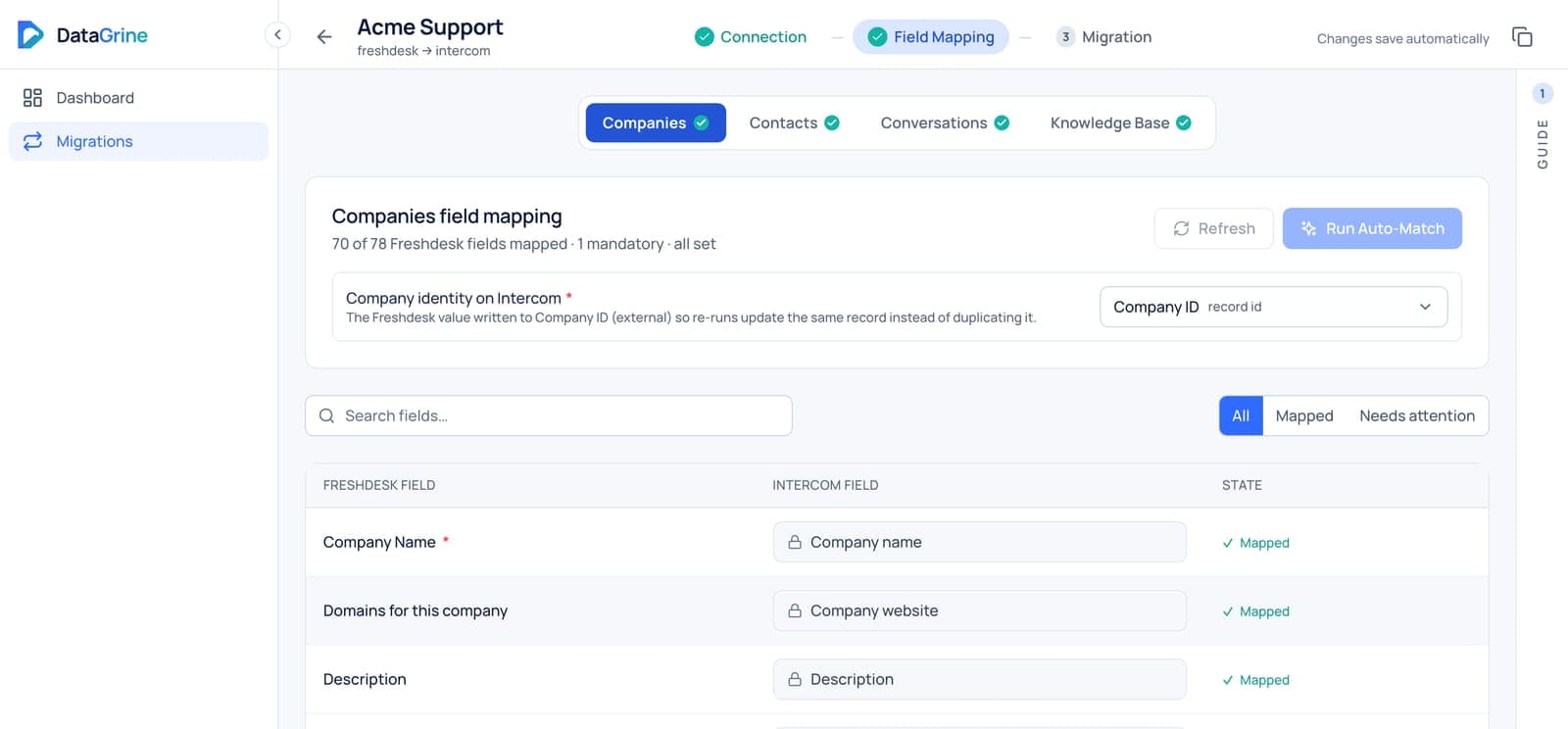
The DataGrine platform is built to be run by your team: connect both helpdesks, map fields and values, check a sample, then run the full move and the delta yourself.
- Field and value mapping
- Sample run before the full move
- Delta sync and rollback per run
- Every record’s history on file
Let our migration experts run it.
A named migration engineer plans, runs and reconciles the whole move with you, on your timeline, and hands you a signed-off result.
- Written mapping you approve
- Sample signed off before the full run
- Cut-over planned around your go-live
- Itemised reconciliation report
24/7 premium support on every migration, until you sign off.
How it works
Five steps. Nothing moves until you approve it.
- 01
Connect and map
Read-only access to your old helpdesk. Every field and value mapped before anything moves.
- 02
Sample run
A sample of your own records lands in the new helpdesk for you to check and sign off.
- 03
Full migration
The full move at the fastest pace both platforms allow, while your team keeps working.
- 04
Delta at cut-over
Anything created or changed since the full run, moved on go-live day.
- 05
Reconcile
Counts checked object by object against the source, and every run can be rolled back.
Migration scenarios
Large, messy, mission-critical. Planned for.
Full history
Every thread, in order
Tickets land with every reply in sequence and attachments alongside. You sign off a sample first, and a delta sync picks up what changed on go-live day.
- Tickets and full threads
- Contacts and companies
- Attachments
Very large accounts
Planned around API limits
Large accounts move in planned, checkpointed batches that stay inside both platforms’ API limits, so the timeline is known before the run starts.
- Tickets and replies
- Contacts
- Batched delivery
Fields that do not line up
Decided in writing first
Custom fields, dropdown values and statuses are mapped value by value in a document you approve, and counts are reconciled object by object after the run.
- Custom fields
- Value mapping
- Reconciliation report
For implementation partners and software vendors
Add migration to your offer, without building a migration team.
Refer a migration, bring us in as your migration workstream, or deliver it under your own brand. Your team can also run it self-serve on our platform. The customer stays yours.
Security
Your data, handled with care.
- Read-only access to your old helpdesk
- Credentials encrypted at rest
- Attachments streamed, never stored
- Data purged after the migration
- DPA available on request
Questions
Can we run the migration ourselves?
Yes. The DataGrine platform is designed to be run by your own team, or our migration team can handle it end to end. Either way you get 24/7 premium support until the migration is signed off.
Which products can you migrate between?
Zendesk, Freshdesk, Intercom, Salesforce Service Cloud, HubSpot, Help Scout, Front, Gorgias, Zoho Desk, Freshchat and more, plus Gmail and Outlook mailboxes and CSV, Excel, JSON or XML exports. If a tool has an API or an export, we can move it.
Does our team have to stop working during the move?
No. We only read from your old helpdesk, so your team keeps working during the full run. A delta sync on go-live day moves anything created or changed since.
Do you work with implementation partners?
Yes. Partners refer migrations to us, bring us in as the migration workstream, or have us deliver under their own brand. The customer stays theirs.
Where are you moving from?
Tell us the two products and roughly how much history. A migration expert replies within one business day.